

Nearly new
Minimal signs of previous use
May or may not have minimal scratches

Specifications
Speed varies from product to product and are theoretical, not actual.
SATA III
Max Speed – 550 MB/s
USB 3.2 Gen 2×2 (SuperSpeed++)
Max Speed – 20 Gbps
USB 3.1 Gen 2 (SuperSpeed+)
Max Speed – 10 Gbps
USB 3.0 (USB 3.1 Gen 1) (SuperSpeed)
Max Speed – 5 Gbps
USB 2.0 (Hi-Speed)
Max Speed – 480 Mbps
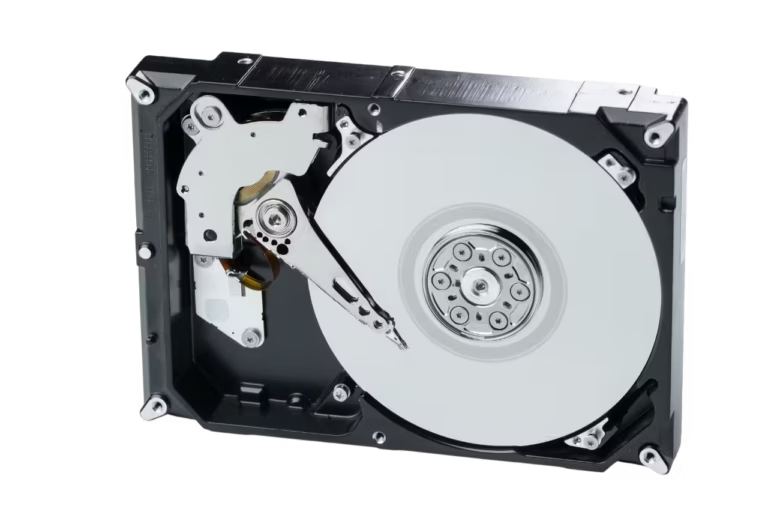
This measures how many times the hard drive’s read/write head can safely park and unpark from the platter surfaces during its lifetime.
When your HDD is idle or powered down, the read/write head is lifted off the spinning platters and parked in a safe zone (to prevent scratches).
When the drive becomes active again, the head is unloaded back onto the platters.
This is 1 Load/Unload Cycle.
It tells you how much data the drive is designed to handle safely.
If you exceed it regularly, the HDD may wear out faster.
CMR / PMR
Data tracks are written side by side without overlapping.
Pros:
Reliable, good performance, supports rewriting easily.
Cons:
Slightly lower storage density.
SMR
Data tracks overlap like roof shingles to fit more data on the platter.
Pros:
Higher capacity at lower cost.
Cons:
Slower write speeds (especially for rewrites).
HAMR
Uses a laser to heat tiny areas of the platter before writing, allowing higher density.
Pros:
Extremely high-capacity potential (20TB+).
Cons:
Expensive, newer tech.
Also called sustained transfer rate, it’s the maximum continuous read/write speed a hard drive can maintain while transferring large files.
Cache helps smooth out performance and speed up access.
The cache stores small chunks of frequently used or incoming data.
This reduces how often the drive must physically spin and move its read/write heads.
It improves responsiveness and reduces delays during file transfers.
General
Storage Capacity
Connector
Performance
Q&A
Reviews
Only verified customers who have made an order & are logged-in can leave a review.